De
De  Es
Es  Fr
Fr  Pt
Pt 

-
-
-
-
-
-
-
-
-
-
-
-
-
-
-
-
-
-
-
-
-
-
-
-
-
-
-
-
-
Group Dimension
-
-
-
-
-
-
-
-
-
-
-
-
-
-
-
-
-
-
-
-
-
-
-
-
-
-
Group Dimension
 Ribbon: Home, Annotate – Dimensions >
  Group Dimension
Menu: Dimensions –  Group
Group
Toolbar: Utilities, Dimensions –
Context menu when calling any dimension: Group
 Command line: QDIM, DIMGROUP
The Group dimension command allows you to simultaneously apply several vertical or horizontal dimensions.
To set a group dimension:
1. Select all objects to be dimensioned. Press ENTER to complete the selection of objects:
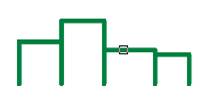
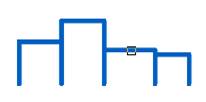
2. Select the location of the dimension line. Depending on the cursor movement direction (vertical or horizontal), a chain of vertical or horizontal dimensions is dynamically displayed. An auxiliary symbol  or
or  is displayed. Left-click to fix the selected position:
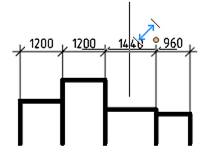
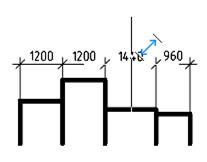
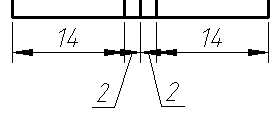
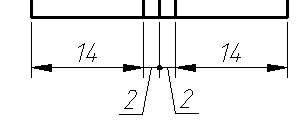
When setting dimensions for objects that have a small length, intersecting arrows are automatically replaced with tick marks or dots if the appropriate value is set for the Arrows in chains setting (Setting nanoCAD (PARAMS) – Symbols tab – Dimensions section):