

 De
De  Es
Es  Fr
Fr  Pt
Pt 

-
-
-
-
-
-
-
-
-
-
-
-
-
-
-
-
-
-
-
-
-
-
-
-
-
-
-
-
-
-
-
-
-
-
-
-
-
-
Projecting a Line onto a Mesh
-
-
-
-
-
-
-
-
-
-
-
-
-
-
-
Projecting a Line onto a Mesh
 Ribbon: Topoplan – Relief >
  Projecting a Line onto a Mesh
Menu: Ground – Elevation > Projecting a Line onto a Mesh
Toolbar: Elevation > Projecting a Line onto a Mesh
 Command line: NG_TO_PROFILE_LINE
The command is designed to project the existing plan elements onto a surface. Segments, polylines or 3D polylines can be selected for projection
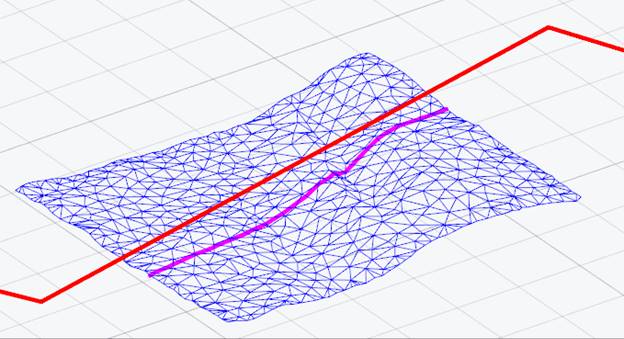
Command prompts:
|
Project profile on or [WCS/UCS/Viewport]: |
Defines how the polyline will be projected onto the mesh: WCS – on the XY plane of the world coordinate system. UCS – on the XY plane of the user coordinate system (if available in the drawing). Viewport – on the viewport plane. |
|
Select polyline to build profile line or [?]: |
Select line, polylines or 3D polylines to project onto the mesh. |