De
De  Es
Es  Fr
Fr  Pt
Pt 

-
-
-
-
-
-
-
-
-
-
-
-
-
-
-
-
-
-
-
-
-
-
-
-
-
-
-
-
-
-
Properties of the Sun
-
-
-
-
-
-
-
-
-
-
-
-
-
-
-
-
-
Properties of the Sun
 Ribbon: View – Render –
  Properties of the Sun
Menu: View – Render – Properties of the Sun
 Command line: SUNPROPERTIES
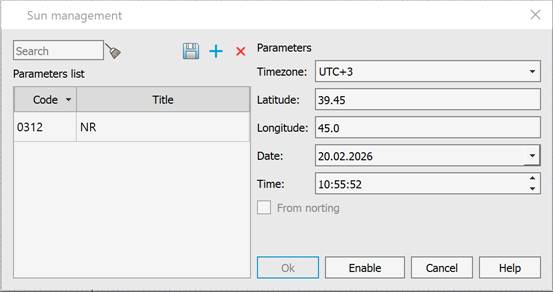
Creates a realistic natural lighting that simulates sunlight. This command opens the Sun Management dialog, where you can fine-tune sunlight parameters based on the object’s geographic location, specific date, and time of day. Sunlight parameters can be saved as presets. Saved presets are displayed in a table on the left side of the dialog.
|
Parameter |
Description |
|
|
The button for saving the parameters set on the right side of the dialog to the selected parameter set. |
|
|
The button for opening the dialog for creating a new parameter set. In the window that opens, specify the Code and Title of the parameter set. |
|
|
The button for deleting a parameter set from the list. |
|
Parameters list |
The list of saved parameter sets in a table format. |
|
Timezone |
The list for selecting a time zone.. |
|
Latitude Longitude |
Specifying a geographic location. |
|
Date Time |
Specifying the date and time. |
|
From norting |
Enables/disables retrieving data from the north direction marker. This option is active if there are objects in the drawings that contain spatial reference data. |
|
OK |
The button for applying the set parameters to the sun. |
|
Enable/Disable |
The button for enabling/disabling the set parameters for the current document. Parameters are not saved to a parameter set. |


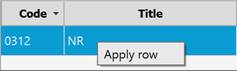
To view the saved settings of a set, open the context menu by right-clicking on the set and clicking the Apply row option: