De
De  Es
Es  Fr
Fr  Pt
Pt 

nanoCAD Platform Help
-
-
-
-
-
-
-
-
-
-
-
-
-
-
-
-
-
-
-
-
-
-
-
-
-
-
-
-
-
Ordinate Dimensioning
-
-
-
-
-
-
-
-
-
-
-
-
-
-
-
-
-
-
-
-
-
-
-
-
-
-
Ordinate Dimensioning
 Ribbon: Home, Annotate – Dimensions >
  Ordinate
Menu: Dimensions – Ordinate
Toolbar: Utilities –
Context menu when calling any dimension: Ordinate
 Command line: MDIMORD
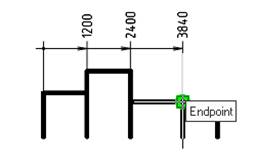
To specify the ordinate dimensions:
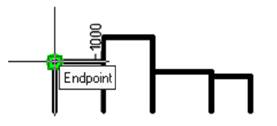
1. Specify the first point of the first dimension:
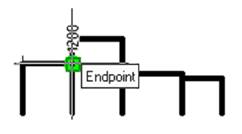
2. Specify the second point of the first dimension:
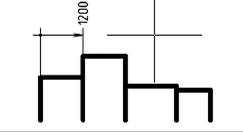
3. Specify the dimension line location:
4. Select the first dimension (highlighted in green). All subsequent dimensions will be linked to it. Or select the Base option in the command line or context menu and specify the first dimension:
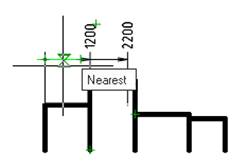
5. Specify the end point of the second ordinate dimension :