De
De  Es
Es  Fr
Fr  Pt
Pt 

-
-
-
-
-
-
-
-
-
-
-
-
-
-
-
-
-
-
-
-
-
-
-
-
-
-
-
Finding and replacing Paths
-
-
-
-
-
-
-
-
-
-
-
-
-
-
-
-
-
-
-
-
-
-
Finding and replacing Paths
TheFind and Replace Selected Paths dialog box allows you to find among the selected references those that use the specified path, and replace all insertions of the path with the new path:
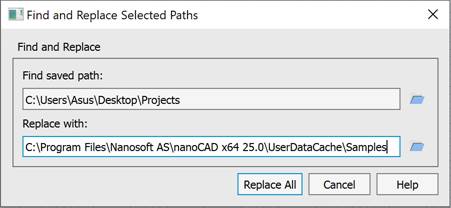
Options:
Find and Replace
|
Find saved path: |
Path entry field for searching and replacing the references whose path names match the entered saved path. The search is performed only among the selected references. This entry filters the saved paths of the currently selected references. The |
|
Replace with: |
The field for entering a new path to replace the found reference paths with. The |
|
replace All |
The button for confirming the search and replacement of paths. |
 button opens a standard dialog box for specifying the path.
The type of path specification (absolute or relative) is determined by the REFPATHTYPE system variable. By default, REFPATHTYPE = 1, a relative path is specified.
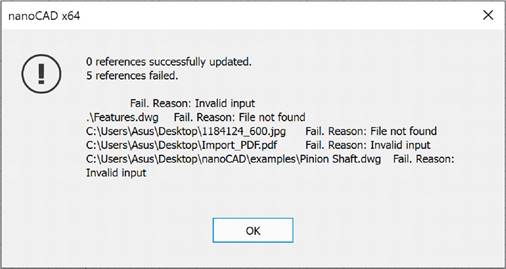
After the path replacement is performed, an informational message about the results is displayed on the screen: