De
De  Es
Es  Fr
Fr  Pt
Pt 

-
-
-
-
-
-
-
-
-
-
-
-
-
-
-
-
-
-
-
Configurations of Layers
-
-
-
-
-
-
-
-
-
-
-
-
-
-
-
-
-
-
-
-
-
-
-
-
-
-
-
-
-
Configurations of Layers
IDH_LayerState
Configurations of layers are backup copies of layers’ parameters.
Configurations are placed in the separate Configurations folder in the categories tree.
A configuration is created for all layers in the document.
To create a configuration, select the  Add configuration button. A new configuration has a default name – Configuration N, where N is the number of created configurations.
A created configuration can be edited, e.g. to change the parameters of its layers.
Configurations can be restored, renamed and deleted.
A recovery of a configuration places a copy of the parameters of the layer with the same name into the document; it means recovering the parameters of the layers and returning them to the moment the configuration was created.
Restore state
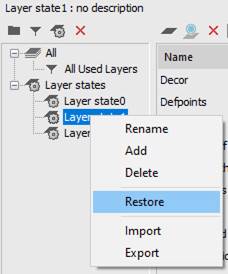
To recover a state, select Restore from the context menu of the state:
The properties of layers to be restored are selected in the Restore layer properties dialog box:
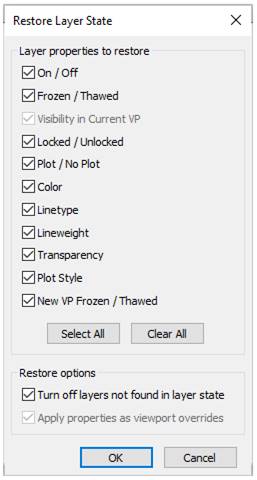
Layers added in a drawing after creating a state of layers and not saved in it can be turned off when restoring a state by checking the Turn off layers not found in layer state box.
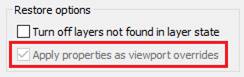
When restoring a layer state saved from the layout viewport, you can choose whether to use settings of such state as global properties of a drawing layers or as overrides for this viewport. The option Apply properties as viewport overrides is intended for this. Adding layers in a state
Adding layers in the configuration
Layers that appeared in a document after creating a state, can be added in the state.
1. Select a state you need to add layers to.
2. Click the  Add button or select Add in the context menu of the list of layers
3. Select layers to be added in the Select Layers to Add to Layer State dialog box, click OK.
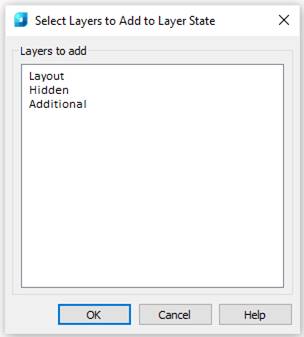
Saves, restores and manages named states of layers.
You can call Layers state dialog with the following commands:
 Ribbon: Home – Layers >
Menu: Format – Layers state…
 Command line: LAYERSTATE
Toolbar: Layers 2 –
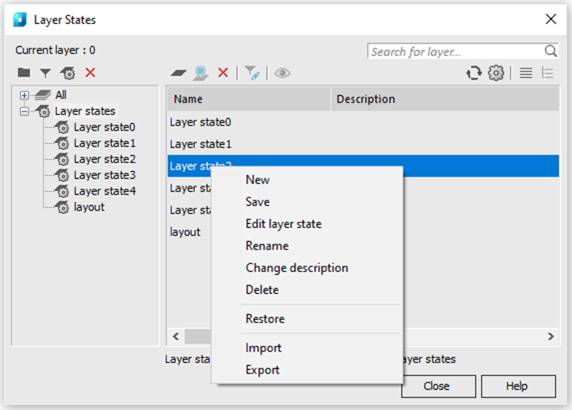
A state can be exported to LAS file and imported from LAS file or *.dwg file (Import and Export commands of the context menu). When importing, you will be prompted to restore the layer settings from the imported states.
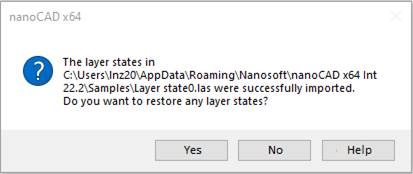
If you agree, the standard process of restoring the state will start, and the Restore Layer State dialog will appear, in which you should select the properties to be restored.
The Layers ribbon group and Layers 2 toolbar contain a window to select states to restore from the list of existing ones.
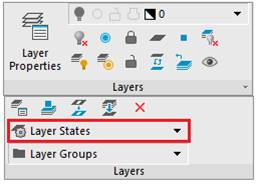
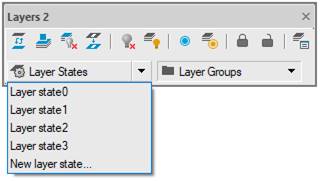
The command of the New layer state list allows for quick saving of layers settings in a new state without opening the Layers dialog box.
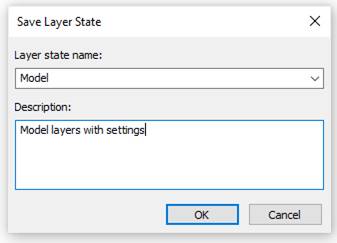
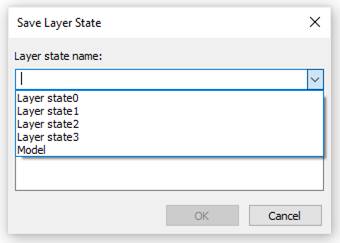
You can also open the Save Layer State dialog box using the LAYERSTATESAVE command.
The Save Layer State list that opens allows for the possibility to save changes in already existing states: