De
De  Es
Es  Fr
Fr  Pt
Pt 

-
-
-
-
-
-
-
-
-
-
-
-
-
-
-
-
-
-
-
-
-
-
-
-
-
Mirror
-
-
-
-
-
-
-
-
-
-
-
-
-
-
-
-
-
-
-
-
-
-
-
-
Mirror
 Ribbon: Home, Draw - Modify >
  Mirror Objects
Menu: Modify – Mirror
Toolbar: Modify –
 Command line: MI, MIRROR
This command creates mirror copies of objects along the specified axis.
Using this command, you can quickly create symmetrical objects, you just create one part of the object and the other part of the object is drawn by the command.
Mirrored texts, attributes and their definitions have a mirror view. For a normal view of text, set 0 value (default value) for the MIRRTEXT system variable.
Command options:
|
? |
Opens the additional options to select objects. |
|
Normal |
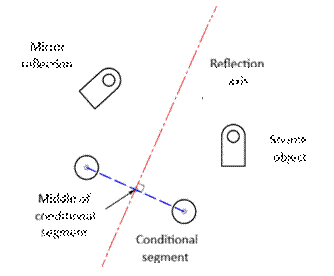
Sets the reflection axis perpendicular to the midpoint of the specified conditional segment.
The option is useful for constructing a display relative to existing objects. |
|
Yes |
Deletes source objects. |
|
No |
Source objects are not deleted. |
Command prompts:
|
Select objects or [?]: |
Select objects. Press ENTER when the selection is finished. |
|
Specify the first point of mirror line or [Normal]: |
Specify the first point. |
|
Specify the second point of mirror line: |
Specify the second point. |
|
Erase source objects? [Yes/No] <N>: |
Select the No option. |
Example:
|
|
|
|
|
|
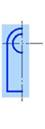
Selection of objects by frame |
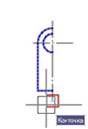
Specifying the first point |
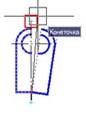
Specifying the second point |
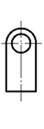
Result |