

 De
De  Es
Es  Fr
Fr  Pt
Pt 

-
-
-
-
-
-
-
-
-
-
-
-
-
-
-
-
-
-
-
-
-
-
-
-
-
-
-
-
-
-
-
-
-
-
-
-
-
-
Creating Bergstriches
-
-
-
-
-
-
-
-
-
-
-
-
-
-
-
Creating Bergstriches
 Ribbon: Topoplan – Relief >
  Bergstriches
Menu: Ground – Elevation >  Bergstriches
Toolbar: Elevation > Bergstriches
 Command line: NG_CREATE_BERGSTRICH
The command will create a bergstrich (in the form of block) at the specified location of the contour.
Contours must first be built and the scale of the topographic map selected.
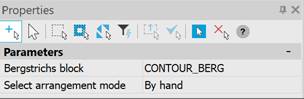
The command parameters are set in the Properties bar.
|
Bergstrichs block |
Selecting a block for the Bergstrichs. CONTOUR_BERG – The CONTOUR_BERG block is used. Add from existing blocks – After applying the settings, opens the Choose Block dialog box, where you should select the desired block. |
|
Select arrangement mode |
Auto – Bergstrichs are placed automatically. The cursor indicates points along the line intersecting the contours, and labels are placed along it. By hand – Bergstrichs are placed manually. The cursor indicates the position of the bergstrich at the specified place on the contour. |
To create a bergstrich:
1. Run the command.
2. In response to the prompt in the command line
Specify bergstrich position:
click the left mouse button in the required place on the contour line.
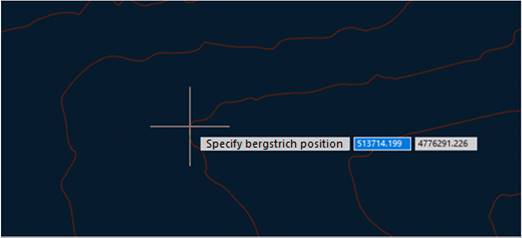
3. In the specified place bergstrich will be created in form of block named CONTOUR_BERG.
4. Several bergstriches can be created in succession. Pressing ESC button ends the command.