

 De
De  Es
Es  Fr
Fr  Pt
Pt 

-
-
-
-
-
-
-
-
-
-
-
-
-
-
-
-
-
-
-
-
-
-
-
-
-
-
-
-
-
-
-
-
-
-
-
-
-
Calculator
-
-
-
-
-
-
-
-
-
-
-
-
-
-
-
-
-
-
Calculator
 Ribbon: Home – Utilities – Inquiry >
  Quick Calculator
Menu: Tools – Inquiry > Quick Calculator…
Toolbar: Main –
Context menu in the drawing graphic area: Quick Calculator…
 hotkeys: CTRL+8
Command line: QCALC, QUICKCALC
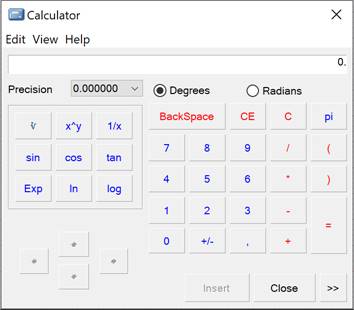
The calculate button is available in the Value picker dialog box, the Edit Dimension dialog box and the Table edit toolbar.
You can perform simple and more complex mathematical calculations in the table cells using the calculator functions.
The capabilities of the table editor are significantly expanded using the powerful functionality of the calculator.
The  button opens Notepad tool sidebar.
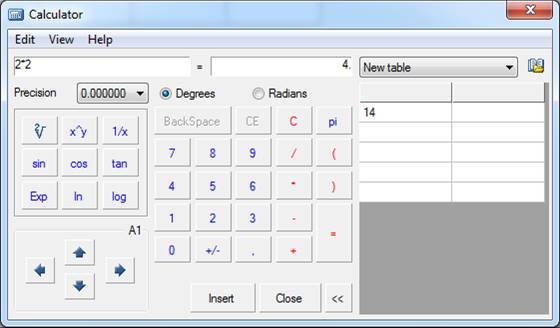
The drop-down list displays the tables from the Notepad. After selecting a table, its contents will be displayed. Double-clicking the left mouse button on a value from the table adds this value to the input field. This tool is useful when you frequently perform standard calculations.
The Insert button is used to insert the result of the calculation from the calculator into the edited table cell, input field or Select value dialog.
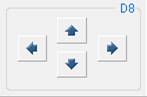
You can use the arrow buttons from the bottom left corner to select table cells. The name of the current cell is also displayed:
You can use the Expression command from the View menu to calculate formulas:
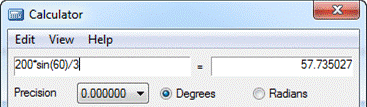
Use the left field to enter the formula to be calculated. The result will be displayed in the right field.
The Precision option sets the rounding level of the calculation result.