De
De  Es
Es  Fr
Fr  Pt
Pt 

nanoCAD Platform Help
-
-
-
-
-
-
-
-
-
-
-
-
-
-
-
-
-
Bounding Prism by Object
-
-
-
-
-
-
-
-
-
-
-
-
-
-
-
-
-
-
-
-
-
-
-
-
-
-
-
-
-
-
-
Bounding Prism by Object
 Ribbon: View – Visibility Manager >
  Bounding prism by Object
Menu: View >  Bounding Prism by Object
Toolbar: View Toolbar – Bounding prism by Object
 Command line: MCLIPBYSELECTION
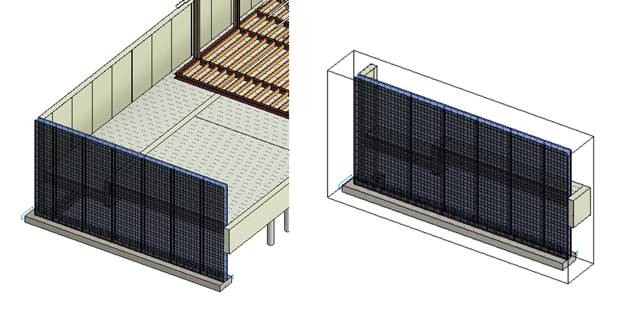
Creates a bounding prism based on the selection made prior to running the command. The prism will be created with the dimensions of a rectangular box describing the sample. If there is no preselection, you will be prompted to select objects. The result of the command operation is similar to the result of work of the Bounding prism command with the Select option.