

 De
De  Es
Es  Fr
Fr  Pt
Pt 

-
-
-
-
-
-
Segmentation Panel
-
-
-
-
-
-
-
-
-
-
-
-
-
-
-
-
-
-
-
Segmentation Panel
 Ribbon: Point Clouds – Clip and section >
  Segmentation
 Menu: View – Toolbars – Functional > Segmentation
Toolbar: Clip and Section 3DScan > Segmentation
 Menu: View > Toolbars > Functional > Segmentation
 Command line: PC_SEGMENTATION_PANEL
The Segmentation panel is used to display, create and edit named views, including those that contain clipping of a point cloud (extended named view). Views are displayed in the panel in form of a tree with a possibility to group and move.
|
|
|
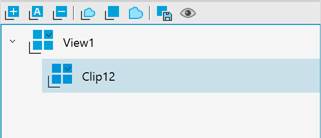
Display of views in the panel
|
|
Normal named view (without clipping) |
|
|
Extended named view (ENV) |


Moving of elements in the tree and changing the order of their nesting is carried out by their Drag&Drop.
Options
|
|
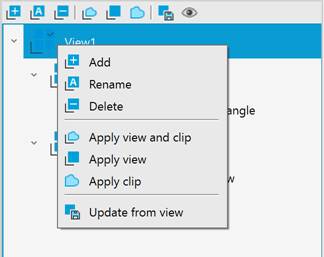
Add |
Saves the extended named view on the basis of what is displayed in the current viewport, with saving the clipping of the point cloud. Similar to the Save view of point cloud/section command |
|
|
Rename |
Renames ENV. |
|
|
Delete |
Deletes ENV. |
|
|
Apply view and clip |
Displays the selected ENV in the current viewport. Similar to the Restore view of point cloud/section command. |
|
|
Apply view |
Displays in the current viewport only the selected view without clipping. Similar to selecting Restore option of VIEW command |
|
|
Apply clip |
Applies the clip from the selected ENV to the cloud in the current viewport. |
|
|
Update from view |
Resaves the selected view with the current state of the cloud. |
|
|
Display thumbnails |
Displays as thumbnails. |


The context menu of views contains similar tools:
It is forbidden to create named views without names.