De
De  Es
Es  Fr
Fr  Pt
Pt 

-
-
-
-
-
-
-
-
-
-
-
Photo Orthotransformation
-
-
-
-
-
-
-
-
-
-
Photo Orthotransformation
 Ribbon: Point Clouds > Aerial Laser Scanning >
  Image Orthotransformation
Menu: Point Clouds > ALS >  Image Orthotransformation
Toolbar: ALS >  Image Orthotransformation
 Command line: PC_PHOTO_TO_ORTHO
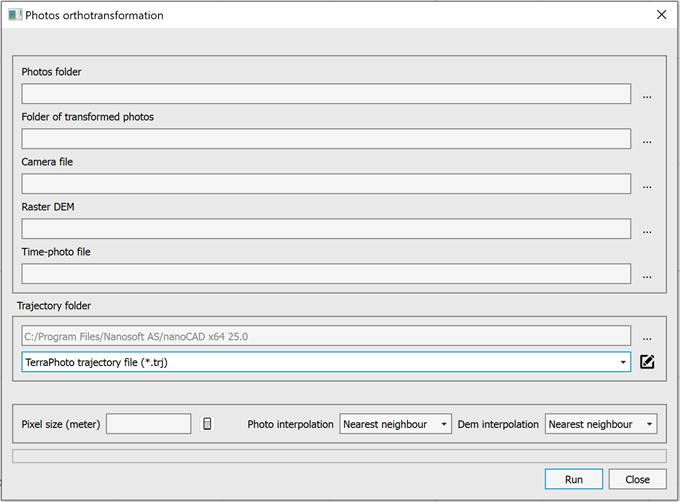
Orthotransformed images are used as an underlay when digitizing polygons that delineate the areas of images participating in the creation of the final orthophotoplan.
For orthotransformation of images, you need to select:
· 1.Photos folder.
· 2.Folder of transformed photos.
· 3.Camera file.
· 4.Raster DEM.
· 5.Time-photo file. It is used to find the external orientation elements of the image in the trajectory files. It is a text file in which the time and name of the photo file (without path and extension) are recorded line by line.
· 6.Folder with trajectory files in text or TRJ format.
· 7. Enter the pixel size of the orthophotos. The Set average pixel from all photos button enters the average pixel size calculated for all photos, taking into account the selected DEM.
· 8. Select the interpolation method for the photo and DEM. Bilinear interpolation provides better quality compared to nearest neighbor interpolation, but it is slower.