De
De  Es
Es  Fr
Fr  Pt
Pt 

nanoCAD 3DScan Help
-
-
-
-
-
-
-
-
-
-
-
AERIAL LASER SCANNING
-
-
-
-
-
-
-
-
-
-
-
AERIAL LASER SCANNING
 Ribbon: Point Clouds > Aerial Laser Scanning >
  Adjust point clouds
Menu: Point Clouds > ALS >  Adjust point clouds
Toolbar: ALS >  Adjust point clouds
 Command line: PC_CLOUDS_ADJUST
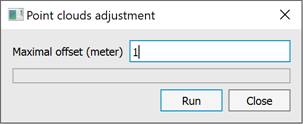
This command is used to eliminate the relative displacement between point clouds. For each point cloud, transformation parameters are calculated – translation, rotation – that reduce the discrepancies between cloud points. To run the command, specify the maximum discrepancy between the clouds in meters.