De
De  Es
Es  Fr
Fr  Pt
Pt 

Combining a Cloud with a Model
 Ribbon: Point Clouds > Point Cloud >
  Combining a Cloud with a Model
Menu: Point Clouds > Registration >  Combining a Cloud with a Model
 Toolbar: Point Clouds 3DScan > Combining a Cloud with a Model
 Command line: PC_ALIGN_CLOUD
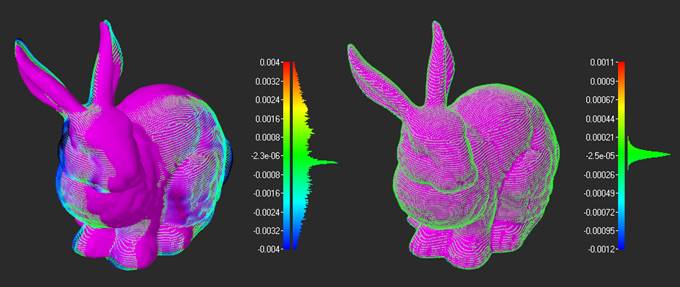
The Combining a Cloud with a Model command combines a point cloud with a reference model. The command is primarily used for detailed registration when there is a relatively small offset. If preliminary alignment is required in the presence of significant displacements, the Combining a Cloud with a Model command uses the functionality of the Registration by Pairs of Corresponding Points command.
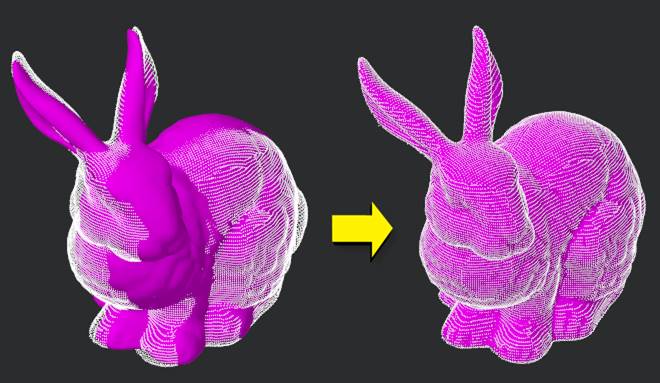
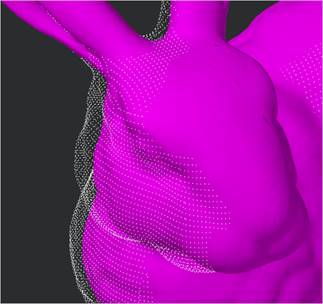
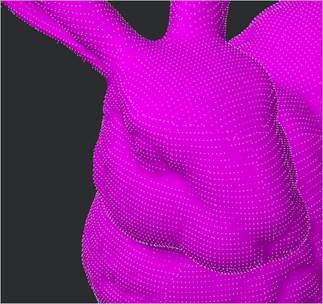
To perform alignment, specify the point cloud and the TIN built on its basis.
The command options are set on the Properties bar.
Parameters:
|
Radius |
The distance within which the geometry is considered for comparison. If all points of the geometry with which we are comparing lie at a distance greater than the radius, then the deviation is considered infinite. Such points are drawn in black. If there are points in the compared geometry that lie at a distance less than the radius, the minimum distance is taken as the deviation. |
|
Initial approximation |
Selection of the initial approximation method. The cloud and the model are aligned in two stages. At the first stage, the initial (rough) approximation is carried out. · As is – do not carry out the initial approximation, but immediately run the detailed alignment algorithm. · Manual – to carry out the initial approximation of the cloud and the model, run the Registration by Pairs of Corresponding Points command. Then detailed alignment will be performed. |
|
Alignment |
Selection of the alignment method. · Cloud to Model – the cloud is aligned relative to the model. · Model to Cloud – the model is aligned relative to the cloud. |
|
Enable Scaling |
To perform cloud scaling during computing, select Yes. Otherwise, the transformation will only include moving and rotation. |
|
Use GPU |
Use of hardware capabilities supporting DirectX 11, if available. It is not recommended to disable this option. |
Command prompts:
|
Apply changes? <Yes> or [Yes/No/Save/saveDefault] <Yes>: |
Yes – the command will be performed taking into account changes in the settings made by the user in the current session of the command work. No – the command will be performed with the settings displayed immediately after running the command. Save – saving settings to a document. saveDefault – saving settings to the registry. |
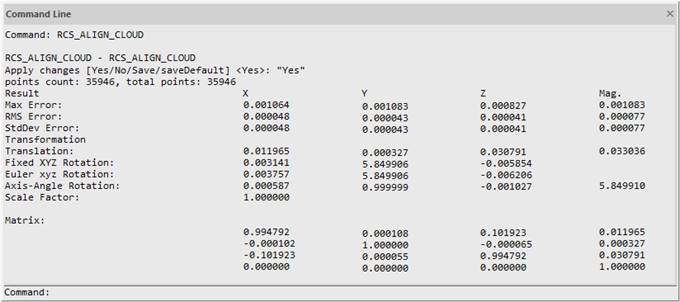
Upon completion of the command, the values of the transformation parameters are output to the command line.
Often the need to align becomes apparent as a result of using the Compare command. The cloud and the model can be compared after alignment as well to control the result.