

 De
De  Es
Es  Fr
Fr  Pt
Pt 

-
-
-
-
-
-
-
-
-
-
-
-
-
-
-
-
-
-
-
-
-
-
-
-
-
-
-
-
-
-
-
-
-
-
-
-
-
-
-
Raster Texture Mapping
-
-
-
-
-
-
-
-
-
-
-
-
-
-
Raster Texture Mapping
 Ribbon: Topoplan – Texturing and Calculations >
  Raster Texture Mapping
Menu: Ground – Textures >  Raster Texture Mapping
Toolbar: Textures and Calculations > Raster Texture Mapping
 Command line: NG_ORTHO_IMAGE
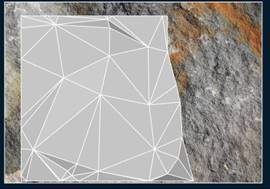
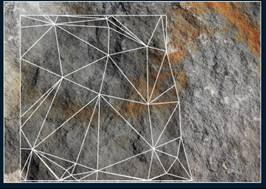
With this command you can create a textured surface. The texture is created by mapping any raster loaded in the drawing on the mesh.
After running the command, in response to the corresponding prompts, select sequentially Submesh and Raster image object in the drawing.
|
Mesh before texture mapping |
Mesh after texture mapping |
|
|
|
After removing the raste from the drawing, the surface preserves the texture:
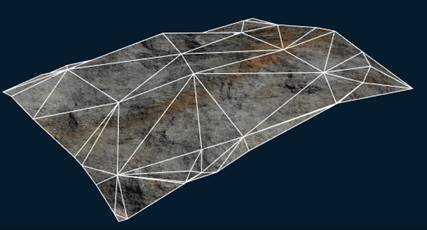
To display the overlay texture, set the Realistic or X-Ray visual style, or a custom style in which texture display is enabled in the face settings.