

 De
De  Es
Es  Fr
Fr  Pt
Pt 

-
-
-
-
-
-
-
-
-
-
-
-
-
-
-
-
-
-
-
-
-
-
-
-
-
-
-
-
Quick Text Mode
-
-
-
-
-
-
-
-
-
-
-
-
-
-
-
-
-
-
-
-
-
-
-
-
-
-
-
Quick Text Mode
 Ribbon: Annotate – Text >
  Contour text
Menu: View – Display > Quick text
 Command line: QTEXT
The Quick Text mode hides the contents of text objects on the screen and print. Only bound rectangles instead of text objects or attributes are displayed on screen and print. Redrawing and regeneration of drawings containing a large number of text objects is faster when the Quick Text mode is on.
|
|
|
|
Qtext mode is disabled |
Qtext mode is enabled |
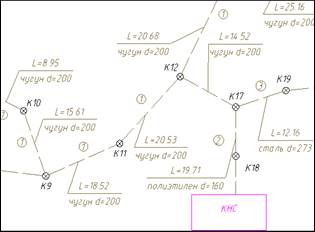
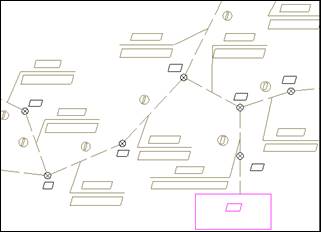
|
|
Note |
|
The Qtext mode replaces all texts of the drawing by bounding boxes. At the same time, there is a possibility to replace with boundaries only the text, the size of which on the screen does not exceed a specified number of pixels in the System settings option – Rendering optimization – Simplify text less than <…> pixels in the OPTIONS dialog box. |
